SoraxBase is an independent mobile app comparison platform. We may earn a commission when you click through.
Photo Editing Apps That Actually Match Your Workflow
Compare 10 camera and photo apps by editing depth, creative tools, platform limits, ratings, and the features each one really delivers.
Start with the job, not the app store ranking
Photo editing is not one category. A person adding animated captions needs a different tool from someone building a 3D scan of a public building. The listings here range from serious image editing to collage layouts, tracing, social effects, and security-camera use, so the first filter is purpose.
Most people get this wrong by choosing the highest rating without checking platform limits. Hype-Type, InCollage, and the home security camera app are listed for iPhone, while AR Drawing is designed for iPad. Matterport for Government requires a platform account, which immediately removes it from consideration for casual photo editing.
Check four things before installing: the device you own, the type of output you need, the free-versus-paid setup, and the permissions the app will require. The available listings show ratings and purchase models, but they do not provide app size or permission details, so those should be checked on the live store page before download.
Quick picks
Best for serious editing: Adobe Photoshop.
Best for collages: InCollage.
Best for animated captions: Hype-Type.
Best for social-first effects: Snapchat.
For actual image editing and visual control
Adobe Photoshop is the only listing here that clearly targets broad image manipulation rather than one creative format. Its mobile description includes object addition with AI, background blur and removal, background replacement, unwanted-object removal, and targeted adjustments. That is a much deeper toolkit than a collage maker or filter app.
Adobe Photoshop
Photoshop has the widest editing brief in this group: AI object addition, background replacement, object removal, and targeted adjustments are all named in the Google Play listing. That makes it the base pick for users who need to fix an image rather than decorate it. The downside is complexity; someone who only wants a quick grid or social filter may find the toolset excessive. Adobe’s official listing is the source for these features, and the app should be checked there for current device requirements and in-app purchase details.

Compared with the more focused apps below, Photoshop gives you room to grow. It is also the safer recommendation when the final image needs cleanup, compositing, or selective corrections instead of a one-tap effect. The listing does not provide a price, so “free” should be read as free to install, not proof that every advanced tool is free.
Adobe Photoshop
The official Adobe Photoshop Google Play listing confirms that the mobile app now includes an AI Assistant description alongside standard editing tools. That matters if you want one app for retouching and creative changes, but it also means privacy and permission checks deserve attention before importing a personal photo library.
The second Photoshop card is not a separate product recommendation; it is the source-backed reading of the same listing. For this guide, the practical conclusion is simple: use Photoshop when control matters more than speed. Move elsewhere when the output is a collage, caption animation, or social post.
That distinction keeps the rest of the comparison honest. The next group is less about editing pixels and more about turning several photos into something shareable.
Layouts, captions, and social-ready edits
These apps are faster because they solve narrower problems. That can be a strength: fewer controls mean less time hunting through menus. It can also be a limitation if you expect professional retouching from a template-driven tool.
InCollage
InCollage has the strongest evidence of broad user interest among the dedicated editing tools here, with a 4.7 rating from 506 App Store ratings and a No. 106 Photo & Video chart position in the supplied listing. Its focus is clear: grids, photo collage layouts, and editing rather than advanced retouching. Choose it for travel recaps, mood boards, and multi-image posts; skip it if you need layers, object removal, or detailed colour work. It is free with in-app purchases and listed for iPhone only.

Hype-Type
Hype-Type takes the opposite route from InCollage: one photo can become a short visual post built around moving text. The App Store listing gives it a 4.7 rating from 18 ratings, but that small sample is nowhere near as persuasive as InCollage’s 506 ratings. Still, the concept is more specific and useful for captions, announcements, and social graphics. It is free with in-app purchases and available only for iPhone, so Android users should remove it from the shortlist immediately.

InCollage is the safer base pick for repeat collage work because its rating has more supporting reviews. Hype-Type is more distinctive, though, and the smaller review count does not change the fact that animated text is its central purpose. Neither app should be judged against Photoshop on editing depth; they win on speed and format.
There is one more social-first option, but it brings a much bigger ecosystem and a more complicated privacy conversation.
Fast effects for people who publish socially
Snapchat is not a traditional photo editor, yet it belongs in this comparison because the listing places it in Photo & Video, ranks it No. 4 in that App Store chart, and reports 14,000 ratings at 4.7. That is far stronger usage evidence than most of the specialist apps here.
Snapchat
Snapchat makes sense when the camera, effects, sharing, and messaging all need to live together. Its 4.7 rating from 14,000 ratings and No. 4 Photo & Video chart position give it the strongest popularity signal in this set. The trade-off is focus: it is a social platform first, not a clean editing workspace like Photoshop or a layout tool like InCollage. The 13+ age rating and in-app controls also signal that parents and privacy-conscious users should review permissions and account settings before handing it over.

Snapchat’s scale is the useful surprise here. It has more than 27 times the supplied rating count of InCollage, yet both show a 4.7 rating. That does not prove Snapchat edits photos better; it shows that its camera-and-sharing loop has much stronger adoption. Pick it for immediate social creation, not archival photo management.
The remaining apps are more specialised. They are worth including only when the unusual use case is the point.
Specialist tools: tracing, effects, and 3D capture
Specialist apps can be better than general editors when the output is tightly defined. They can also waste your time if you install them expecting a normal camera editor. Read the purpose before the rating.
AR Drawing Sketch
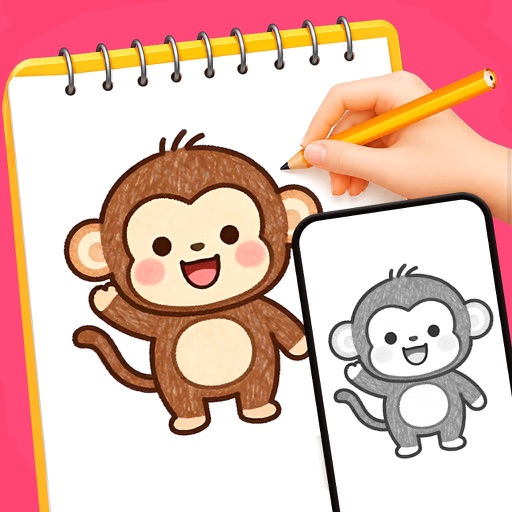
AR Drawing Sketch & Tracing is built around projecting a reference image for drawing and tracing, not polishing finished photographs. The listing shows a 4.2 rating from just 5 ratings and identifies it as designed for iPad, with in-app purchases. That tiny review sample makes the rating weak evidence, but the use case is clear enough: choose it for guided sketch practice on a larger tablet canvas. It is a poor fit for ordinary photo enhancement.
Adobe Photoshop
Photoshop remains the better fallback when tracing turns into a finished digital composition. Its listed tools cover background changes, object removal, and targeted adjustments, while AR Drawing is about physical drawing guidance. The comparison is not about which rating is higher; it is about whether the output starts as a sketch or a finished image. Check Adobe’s official mobile Photoshop page for current availability and purchase terms before installing.
Effects Art sits between these two ideas: it turns photos into stylised outputs such as cartoon, oil-painting, pencil-sketch, and polygon effects. The supplied description is specific about those transformations, but it does not provide a rating, price, platform, app size, or permission list. That missing information matters more than a vague promise of “deep art technology.” Check the live store page before treating it as a serious pick.
Matterport for Government is even more specialised. Its description says it requires a Matterport for Government platform account and is intended for public-sector agencies creating dimensionally accurate 3D digital twins. That is a legitimate camera-adjacent workflow, but it is not a consumer photo editor. The correct recommendation is to exclude it unless you already work with that government platform.
Home Security Camera App also fails the photo-editing relevance test. It is a security-camera utility, listed for iPhone, with only 2 ratings. A five-star score from two ratings is not enough evidence to recommend it as a camera or editing app.
Common mistakes that make photo apps frustrating
Choosing by stars alone
A 5.0 rating from 2 ratings is not stronger evidence than a 4.7 rating from 14,000. Review count changes how much confidence you should place in the score. Snapchat and InCollage have meaningful samples; the Home Security Camera App and AR Drawing listings do not.
Ignoring the platform label
Hype-Type, InCollage, and the home security camera app are marked for iPhone. AR Drawing is designed for iPad. A polished listing is useless if the app cannot run on your device. The supplied pages also flag apps as not verified for macOS in some cases, so desktop assumptions are risky.
Confusing free installation with a free workflow
Hype-Type, InCollage, AR Drawing, Fonts for iPhone, Video Editor - Photo Editor, Snapchat, and the home security camera app are listed as free with in-app purchases. That tells you the download costs nothing; it does not tell you which exports, effects, fonts, or editing tools sit behind payment.
Installing a tool outside its real category
Matterport for Government is for public-sector 3D digital twins. Fonts for iPhone is a font keyboard and emoji maker. Video Editor - Photo Editor is aimed at music-video creation. They may touch photos, but they should not be presented as interchangeable image editors.
Quick decision framework
- Need object removal, background changes, or targeted edits? Start with Adobe Photoshop.
- Need a grid of several photos? Pick InCollage on iPhone.
- Need moving captions on a single image? Use Hype-Type, provided you have an iPhone.
- Need camera effects and instant social sharing? Snapchat is the obvious base pick, but review its privacy and permission settings.
- Need to trace a reference image? AR Drawing makes sense only on iPad.
- Need stylised cartoon or sketch effects? Check Effects Art’s current store listing, since the supplied data does not include its rating or price.
- Need a government-grade 3D space capture? Matterport for Government is relevant only with the required platform account.
My base verdict: Photoshop is the most capable editing pick, InCollage is the cleanest collage recommendation, Hype-Type earns a niche spot for animated text, and Snapchat wins on reach rather than editing depth. The rest are specialist tools. Install them for the exact job they advertise, not because the word “camera” appears in the title.
For official details, compare the InCollage App Store listing, the Hype-Type App Store listing, and Adobe’s official Google Play page before downloading. Store ratings, purchase terms, permissions, and device support can change.


